| Filename | Latest commit message | Latest commit date |
|---|---|---|
| README.md | ||

Neovim + C# Updates: fixing roslyn.nvim when rzls is no more
Intro
In the past it needed two lsp plugins
- roslyn.nvim - .cs
- rzls.nvim - .razor
If you're using nvim and Mason, you might have seen this screen recently:
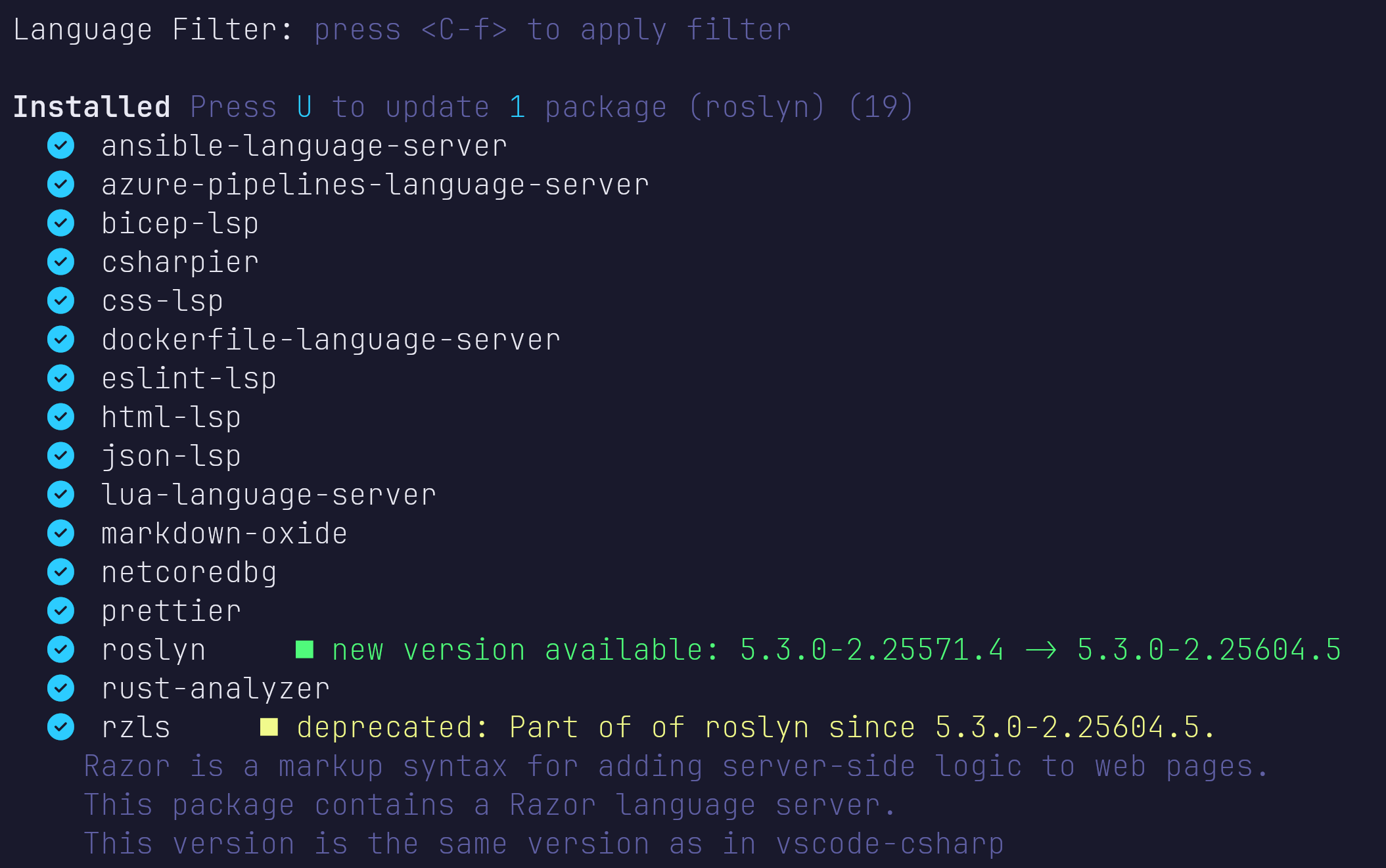
This is reflected on github as follows:
https://github.com/seblyng/roslyn.nvim?tab=readme-ov-file#razorcshtml-support

https://github.com/tris203/rzls.nvim?tab=readme-ov-file#composing-the-command-for-roslyn
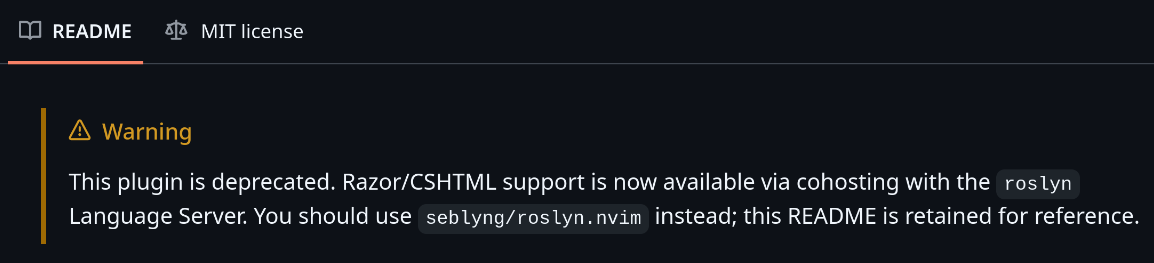
unfortunately it's not that easy
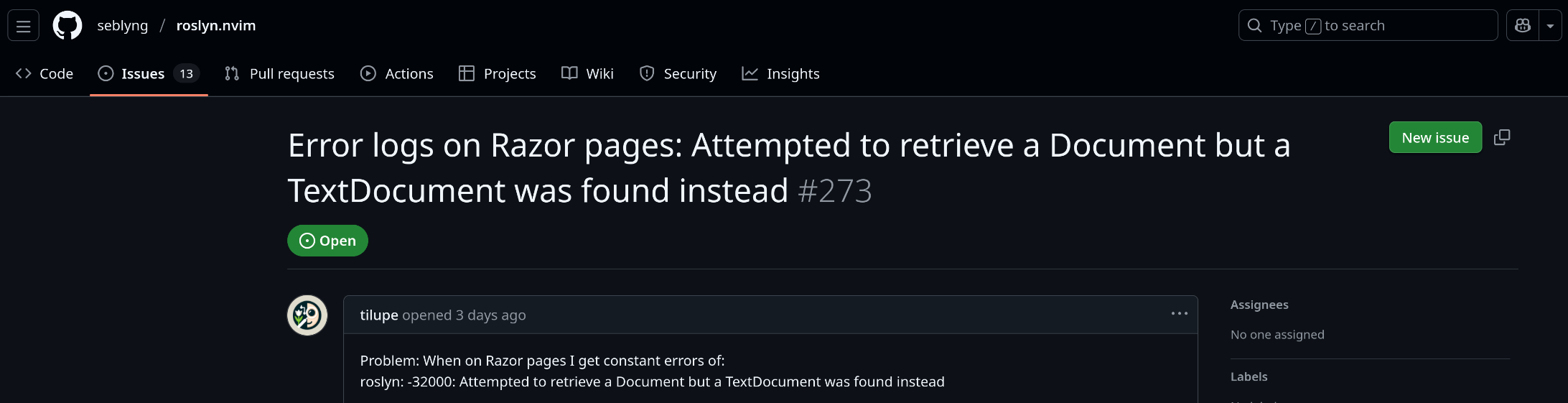
https://github.com/seblyng/roslyn.nvim/issues/273
Setup As Recommended
dotnet-sdk-10.0
Make sure dotnet 10 is installed for the updated roslyn to work, otherwise we get a 150 from neovim when trying to open a .cs or .razor file:
[ERROR][2025-12-10 12:11:35] ...p/_transport.lua:36 "rpc" "roslyn" "stderr" "You must install or update .NET to run this application.\n\nApp: /home/ramboe/.local/share/nvim/mason/packages/roslyn/libexec/Microsoft.CodeAnalysis.LanguageServer.dll\nArchitecture: x64\nFramework: 'Microsoft.NETCore.App', version '10.0.0-rc.2.25502.107' (x64)\n.NET location: /usr/lib64/dotnet/\n\nThe following frameworks were found:\n 9.0.11 at [/usr/lib64/dotnet/shared/Microsoft.NETCore.App]\n\nLearn more:\nhttps://aka.ms/dotnet/app-launch-failed\n\nTo install missing framework, download:\nhttps://aka.ms/dotnet-core-applaunch?framework=Microsoft.NETCore.App&framework_version=10.0.0-rc.2.25502.107&arch=x64&rid=fedora.41-x64&os=fedora.41\n"
kick out anything rzls
When done correctly, your lua/configs/lspconfig.lua looks like this
vim.lsp.config("roslyn", {})
And your lua/plugins/init.lua looks like this
  {
    "seblyng/roslyn.nvim",
    ---@module 'roslyn.config'
    ---@type RoslynNvimConfig
    ft = { "cs", "razor" },
    lazy = false
  },
If you encounter issues, like "roslyn: -32000: Attempted to retrieve a Document but a TextDocument was found instead" - this will be solved further in this article
In Case of Any Problems
Create a new blazor project
cd ~/Documents && \
dotnet new blazor -n MyBlazor
cd MyBlazor && \
dotnet build
make sure to adjust the .csproj so it builds:
<Project Sdk="Microsoft.NET.Sdk.Web">
  <PropertyGroup>
    <AllowMissingPrunePackageData>true</AllowMissingPrunePackageData>
    ...
  </PropertyGroup>
</Project>
then witness the shards:
Program.cs - "Using directive is unnecessary."
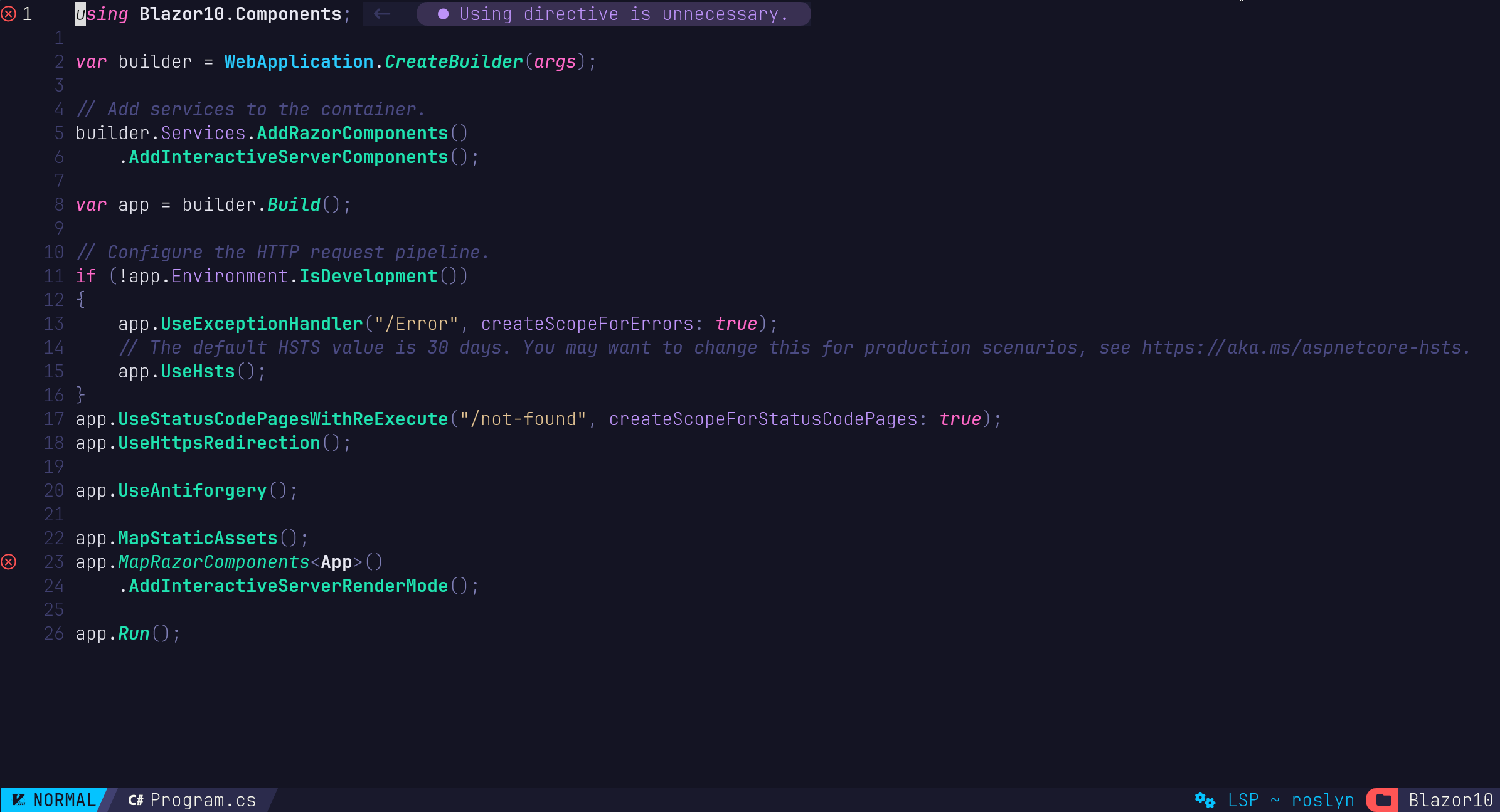
Counter.razor - "roslyn: -32000: Attempted to retrieve a Document but a TextDocument was found instead."
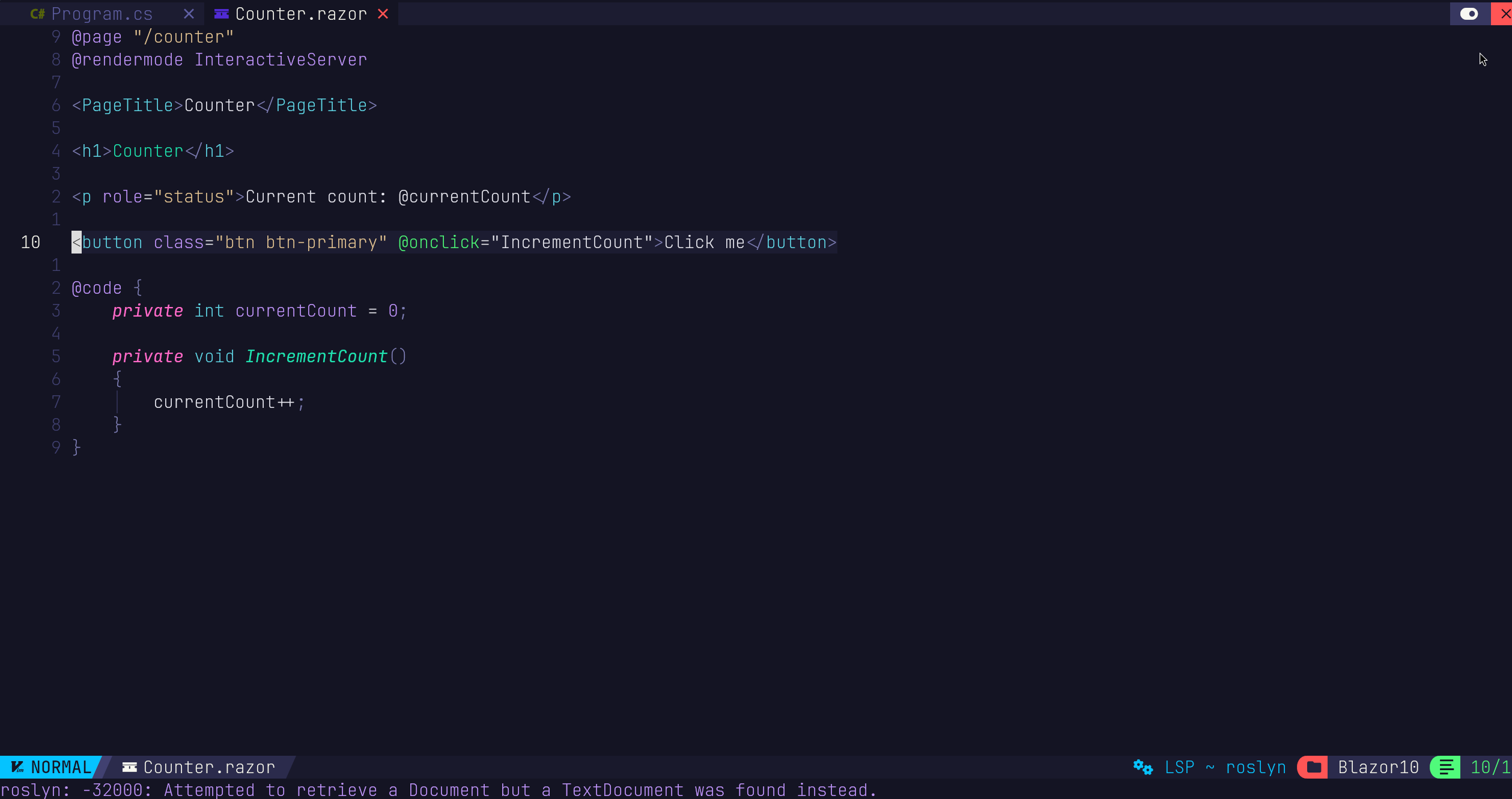
This is because roslyn can't locate the DLLs necessary for .razor files, even when they are properly installed with mason:
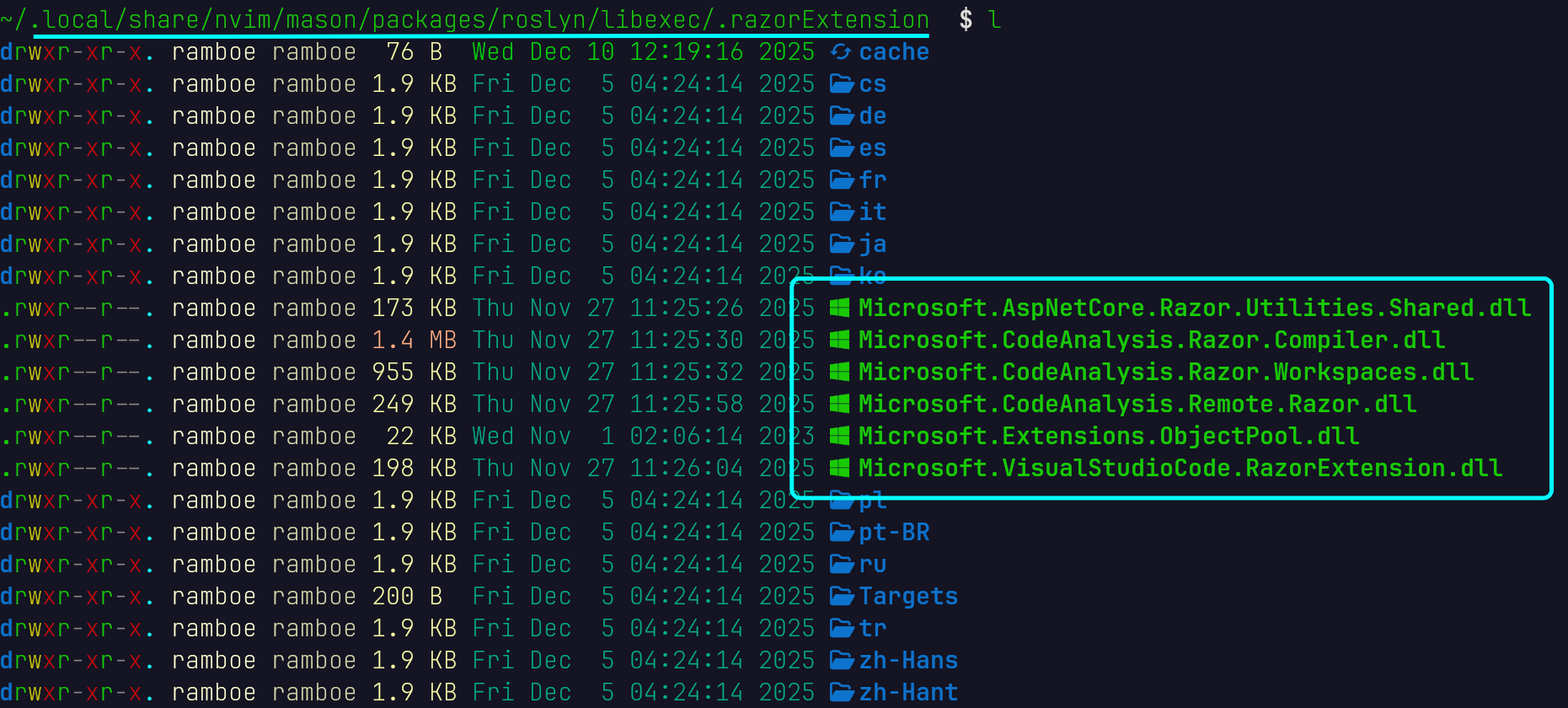
Composing cmd Explicitely
Following the docs results into the following plugins/init.lua:
  {
    "seblyng/roslyn.nvim",
    ---@module 'roslyn.config'
    ---@type RoslynNvimConfig
    ft = { "cs", "razor" },
    lazy = false,
    config = function()
local rzls_path = vim.fn.expand("$MASON/packages/roslyn/libexec/.razorExtension")

      local cmd = {
        "roslyn",
        "--stdio",
        "--logLevel=Information",
        "--extensionLogDirectory=" .. vim.fs.dirname(vim.lsp.get_log_path()),
        "--razorSourceGenerator=" .. vim.fs.joinpath(rzls_path, "Microsoft.CodeAnalysis.Razor.Compiler.dll"),
        "--razorDesignTimePath=" .. vim.fs.joinpath(rzls_path, "Targets", "Microsoft.NET.Sdk.Razor.DesignTime.targets"),
        "--extension=" .. vim.fs.joinpath(rzls_path, "Microsoft.VisualStudioCode.RazorExtension.dll"),
      }

      vim.lsp.config("roslyn", {
        cmd = cmd,
      })
    end
  },
Where $MASON stands for ~/.local/share/nvim/mason (on linux) which would result in the following absolute path
~/.local/share/nvim/mason/packages/roslyn/libexec/.razorExtension
unfortunately working with $MASON like this
local rzls_path = vim.fn.expand("$MASON/packages/rzls/libexec")
doesn't change anything, we still get the same errors. Problem: $MASON is not loaded until neovim is full initialised;
Solution
We get the mason root path directly from the mason.settings module, instead of the $MASON environment variable:
-- lua/configs/lspconfig.lua

-- ROSLYN (+razor support)
local mason_root = require("mason.settings").current.install_root_dir
local rzls_path = vim.fn.expand(mason_root .. "/packages/roslyn/libexec/.razorExtension")

vim.lsp.config("roslyn", {
  --  https://github.com/tris203/rzls.nvim?tab=readme-ov-file#composing-the-command-for-roslyn
  cmd = {
    "roslyn",
    "--stdio",
    "--logLevel=Information",
    "--extensionLogDirectory=" .. vim.fs.dirname(vim.lsp.get_log_path()),
    "--razorSourceGenerator=" .. vim.fs.joinpath(rzls_path, "Microsoft.CodeAnalysis.Razor.Compiler.dll"),
    "--razorDesignTimePath=" .. vim.fs.joinpath(rzls_path, "Targets", "Microsoft.NET.Sdk.Razor.DesignTime.targets"),
    "--extension=" .. vim.fs.joinpath(rzls_path, "Microsoft.VisualStudioCode.RazorExtension.dll"),
  },
})
-- END ROSLYN
Actually..
You don't even need the full cmd specification, it is enough to load the install_root_dir, this will then make $MASON available.
Those to lines inside the lua/configs/lspconfig.lua are enough to make everything work.
-- ROSLYN (+razor support)
local mason_root = require("mason.settings").current.install_root_dir

vim.lsp.config("roslyn", {})
-- END ROSLYN
while your lua/plugins/init.lua can be as slim as this
  {
    "seblyng/roslyn.nvim",
local mason_root = require("mason.settings").current.install_root_dir
local rzls_path = vim.fn.expand(mason_root .. "/packages/roslyn/libexec/.razorExtension")

vim.lsp.config("roslyn", {
  --  https://github.com/tris203/rzls.nvim?tab=readme-ov-file#composing-the-command-for-roslyn
  cmd = {
    "roslyn",
    "--stdio",
    "--logLevel=Information",
    "--extensionLogDirectory=" .. vim.fs.dirname(vim.lsp.get_log_path()),
    "--razorSourceGenerator=" .. vim.fs.joinpath(rzls_path, "Microsoft.CodeAnalysis.ExternalAccess.RazorCompiler.dll"),
    "--razorDesignTimePath=" .. vim.fs.joinpath(rzls_path, "Targets", "Microsoft.NET.Sdk.Razor.DesignTime.targets"),
    "--extension=" .. vim.fs.joinpath(rzls_path, "Microsoft.VisualStudioCode.RazorExtension.dll"),
  },
  filetypes = { "cs", "razor" },

})
    ---@module 'roslyn.config'
    ---@type RoslynNvimConfig
    ft = { "cs", "razor" }
  },
Update 07-Mar-26
In order to fix unrecognized .razor files you might need to add the razor and cshtml file types to your lsp configuration
-- lua/configs/lspconfig.lua

vim.filetype.add {
  extension = {
    razor = "razor",
    cshtml = "razor",
  },
}
I had to add this recently to get roslyn booting up for .razor files. Oddly that was not necessary before, but, well, now it is.
Also apparently this line is not needed aymore:
local mason_root = require("mason.settings").current.install_root_dir
Further Reading
- roslyn.nvim has been updated: https://github.com/seblyng/roslyn.nvim?tab=readme-ov-file#razorcshtml-support
- rzls is obsolete: https://github.com/tris203/rzls.nvim?tab=readme-ov-file#composing-the-command-for-roslyn
- "roslyn: -32000: Attempted to retrieve a Document but a TextDocument was found instead" issue on github: https://github.com/seblyng/roslyn.nvim/issues/273
- Also updated "Neovim + C# in 2025: The Actually Improved Setup | roslyn.nvim + rzsl.nvim (from scratch)": https://git.ramboe.io/YouTube/neovim-c-the-actually-improved-configuration-2025-roslynnvim-rzslnvim/src/branch/main#lsp-for-razor-blazor-also-seblyng-roslyn-nvim-https-github-com-seblyng-roslyn-nvim-tab-readme-ov-file-razorcshtml-support