No description
| Filename | Latest commit message | Latest commit date |
|---|---|---|
| README.md | ||

nvim + C#: debugging multiple web apps
The Problem
When application is run via neovim-dap.continue (debugging from inside neovim) then the launchSettings.json is ignored.
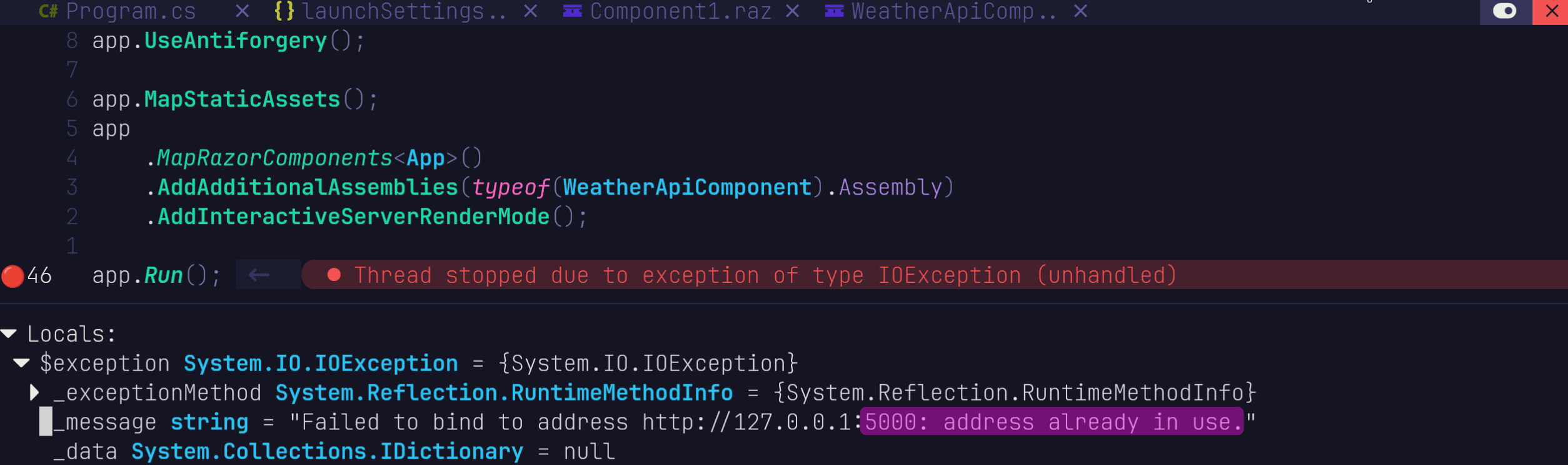
dotnet run then defaults to port 5000, which blocks the port for the current application we are debugging and hinders further applications to be debugged as well:
Fix
set port directly inside Program.cs
if (builder.Environment.IsDevelopment())
{
    // force port also for nvim-dap debugging
    builder.WebHost.UseUrls("http://localhost:<YOURPORT>");
}
Handy CLI commands
get ports for currently running dotnet apps
lsof -i -P | grep dotnet

# or

lsof -i -P | grep -E 'dotnet|<YourProject>'
if anything blocking
pkill dotnet
explanation
lsof
"List Open Files". On Unix/Linux, network sockets are treated as files, so lsof can show which processes are using network ports.
-i
Show only network connections (TCP/UDP sockets).
-P
Show port numbers instead of resolving them to service names (5000 instead of commplex-main).
-n
Show IP addresses instead of resolving hostnames (faster).
grep dotnet
Keep only lines containing the text dotnet.
find out environment
printenv | grep DOTNET