- CSS 51.7%
- HTML 34.5%
- JavaScript 10.4%
- C# 3.4%
| Filename | Latest commit message | Latest commit date |
|---|---|---|
| K8sDemo | ||
| .gitignore | ||
| README.md | ||

Kubernetes Crash Course for .NET Developers (2026) – Part 2
1) create dotnet project
dotnet new blazor -n K8sDemo
insert this into K8sDemo.csproj
<PropertyGroup>
    <ContainerImageTags>latest</ContainerImageTags>
    <ContainerRepository>ramboe/k8sdemo</ContainerRepository>
    <ContainerRegistry>docker.io</ContainerRegistry>
  </PropertyGroup>
-
this pushes the image into https://hub.docker.com/repositories/ramboe (make sure to replace with your own stuff unless you hacked my account, ofc)
-
further reading on dotnet container properties: https://github.com/dotnet/sdk-container-builds/blob/main/docs/RegistryAuthentication.md#docker-hub
2) push image into docker hub
dotnet publish K8sDemo.csproj --os linux --arch x64 /t:PublishContainer -c Release
3) install kubernetes for local testing
sudo pacman -S minikube kubectl
minikube start
kubectl get all
we don't need to install kubectl BUT in order to interact with minikube via the cli we would need to execute every kubectl command with the minikube prefix.
check if cluster is running
kubectl cluster-info
4) pull image to target machine
deployment.yml (can technically sit anyware on the system)
apiVersion: apps/v1
kind: Deployment
metadata:
  name: demo-deployment
  annotations:
    kubernetes.io/change-cause: "init"
spec:
  replicas: 3
  selector:
    matchLabels:
      app: demo
  template:
    metadata:
      labels:
        env: prod
        app: demo
        app.kubernetes.io/name: demo
    spec:
      containers:
        - name: demo
          image: ramboe/k8sdemo:latest
          ports:
            - containerPort: 80
              name: http-frontend
          env:
            - name: ASPNETCORE_URLS
              value: http://+:80
run the deployment
kubectl apply -f deployment.yaml
check the deployment
kubectl get all
expected output
NAME                                   READY   STATUS              RESTARTS   AGE
pod/demo-deployment-85c8544d98-5tctg   0/1     ContainerCreating   0          8s
pod/demo-deployment-85c8544d98-gppxj   0/1     ContainerCreating   0          8s
pod/demo-deployment-85c8544d98-pdzgd   0/1     ContainerCreating   0          8s

NAME                 TYPE        CLUSTER-IP   EXTERNAL-IP   PORT(S)   AGE
service/kubernetes   ClusterIP   10.96.0.1    <none>        443/TCP   42m

NAME                              READY   UP-TO-DATE   AVAILABLE   AGE
deployment.apps/demo-deployment   0/3     3            0           8s

NAME                                         DESIRED   CURRENT   READY   AGE
replicaset.apps/demo-deployment-85c8544d98   3         3         0       8s
check labels
kubectl get pods --show-labels
ClusterIP 10.96.0.1 - can't browse this right now, need service
5) make it browsable
add service to yaml
...

---
apiVersion: v1
kind: Service
metadata:
  name: lb-service
spec:
  selector:
    app.kubernetes.io/name: demo
  ports:
    - name: demo-port
      protocol: TCP
      port: 8080
      targetPort: 80
  type: LoadBalancer
re-apply yml
kubectl apply -f deployment.yaml
6) fix minikube tunneling
https://minikube.sigs.k8s.io/docs/handbook/accessing/
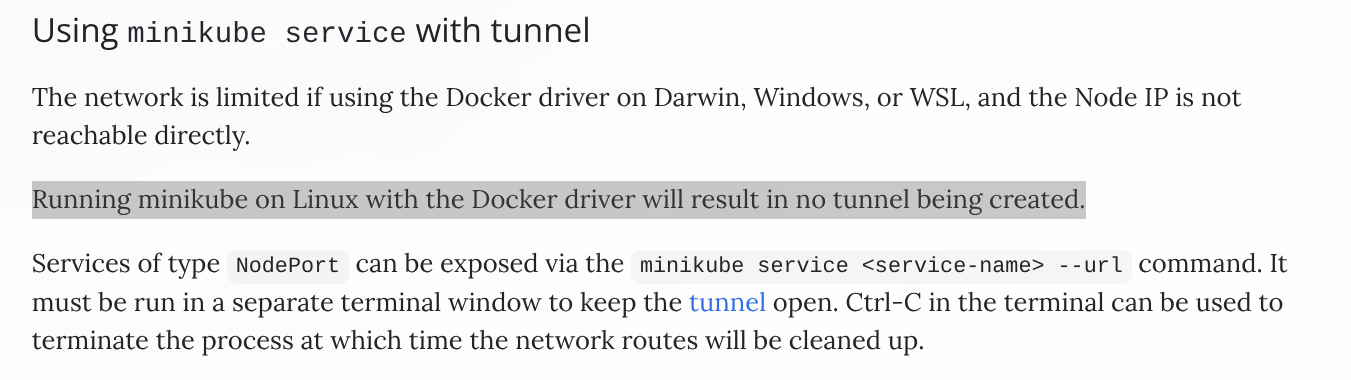
minikube tunnel in separate terminal
expected output
Status:
	machine: minikube
	pid: 42099
	route: 10.96.0.0/12 -> 192.168.49.2
	minikube: Running
	services: [my-lb-service]
    errors:
		minikube: no errors
		router: no errors
		loadbalancer emulator: no errors
7) recheck
kubectl get svc
expected output
NAME            TYPE           CLUSTER-IP      EXTERNAL-IP     PORT(S)          AGE
kubernetes      ClusterIP      10.96.0.1       <none>          443/TCP          58m
my-lb-service   LoadBalancer   10.101.206.97   10.101.206.97   8080:31265/TCP   9m54s
browse localhost (external-ip +port), in this case 10.101.206.97:8080